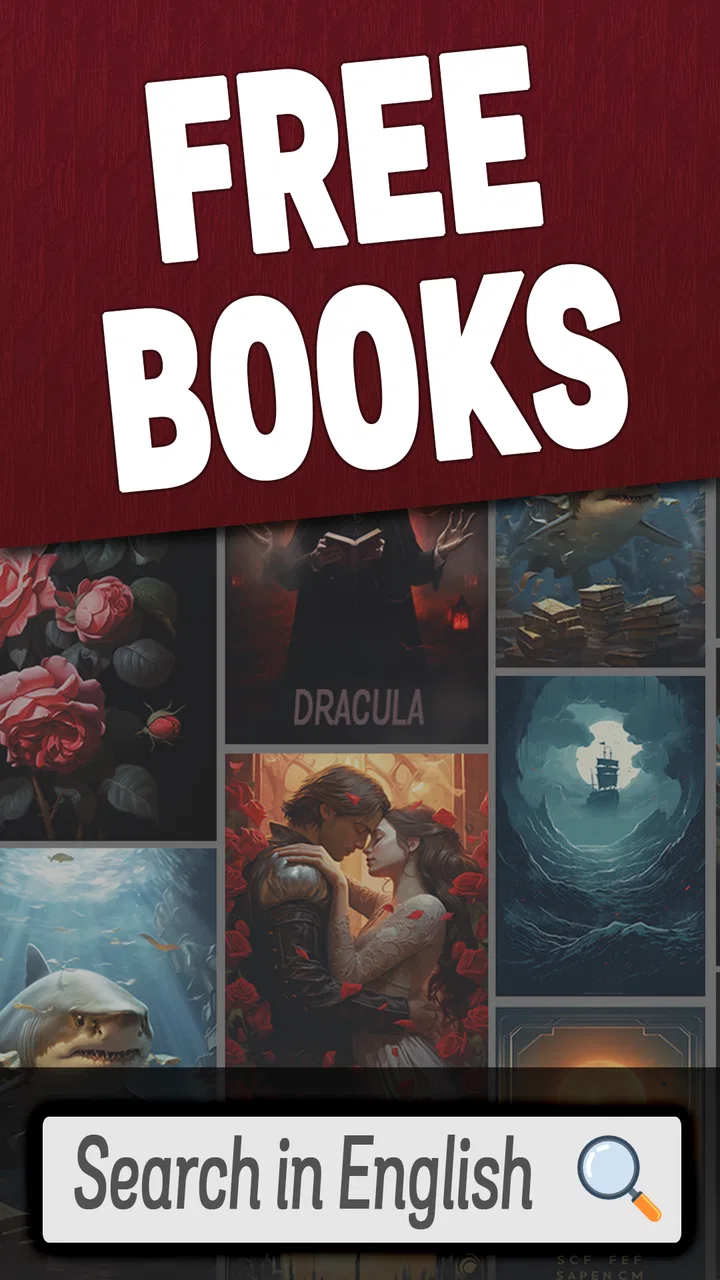
Books - Read and Download
- 4.6
- Rating
- 5.00M
- Installs
- Free
- Price
 Analysis by App-foxy
I approached Books - Read and Download as a practical reading tool rather than as a full replacement for a dedicated ebook ecosystem. Its purpose is straightforward: help people find and read books in English from an Android app focused on reference material. That narrow promise is useful, especially if you want a simple way to browse English-language reading on a phone, but it also means I judged it by questions that matter beyond the reading screen: how much control the reader has, what information is visible before using a title, and whether the app feels comfortable for regular reading.
The app comes from App Game Development Solutions and is free to use. It sits in the Books & Reference category, has an Everyone content rating, and has built a sizeable audience with an average rating of 4.5 from around 132 thousand ratings. That level of adoption makes it easier to take seriously as a real reading option, although popularity alone is not proof that every reader will find its catalog or interface suitable.
My overall impression is cautiously positive. I like the direct focus on English books and the low barrier to trying it. I would recommend it to someone who wants an uncomplicated reading app and is willing to inspect each book’s details before downloading. I would be more careful recommending it to readers who expect advanced library organization, extensive account management, polished synchronization, or the same level of transparency offered by a large established ebook platform.
You May Also Like

 Blood Strike: 2.5 Anniversary
Blood Strike’s Loadouts Turn Every Drop Into a Tactical Gamble
A close look at Blood Strike’s custom loadouts: how fast access to signature weapons reshapes its battle royale rhythm, rewards preparation, and narrows the gap between fights.

 Pandora - Music & Podcasts
Pandora’s Music Is Easy to Start, but Harder to Recover
Pandora’s strength is its low-effort path from a seed to a station. Its weak spot is how much confidence it asks you to place in connection, setup, and quiet recovery.

 8 Ball Pool
 Is Built on Rivalries, Rematches, and Routine
A close look at the rivalries, rematches, shared routines, and unanswered safety questions that turn a quick pool match into a persistent mobile community.

 Samsung Music
’s Quiet Strength Is Playing What You Already Own
Its reach comes less from spectacle than from dependable access to a personal library. That simplicity is both the app’s strongest retention engine and its ceiling.

 AccuWeather: Weather Radar
AccuWeather Review: A Quick, Clear Forecast for Everyday Decisions
For everyday plans, the best forecast is the one you can understand quickly. AccuWeather makes rain timing, radar, and local conditions easy to act on, with a few trade-offs.

 Hill Climb Racing
Why Hill Climb Racing Still Turns Crashes Into One More Run
A tiny car, a bumpy hill and one more upgrade: Hill Climb Racing keeps resurfacing because its simple chaos makes every near-miss feel personal.
More From Our News Desk



What the app is really like to use
The first thing to understand is that this is not presented as a general-purpose document manager or a social reading network. It is built around books, with reading and downloading at the center. That makes the experience easier to understand than apps that combine magazines, audiobooks, news, comics, and personal files in one crowded interface.
For a casual reader, that focus can be refreshing. I can imagine opening it during a commute, looking for something in English, and choosing a title without having to configure a complicated reading system first. It also suits learners who want regular exposure to English outside a classroom. A short reading session can become a useful vocabulary exercise, particularly when the reader chooses a book that matches their current level instead of starting with an overly difficult classic.
At the same time, a focused purpose does not automatically guarantee a perfect experience. Readers who have accumulated a large personal library may find a specialist ebook service more convenient if it offers stronger shelves, tags, reading progress synchronization, or purchase history. Books - Read and Download is easier to approach when you think of it as a discovery and reading utility, not necessarily as the permanent home for every book you own.
The app is free, which removes the most obvious reason to hesitate before trying it. That is valuable for students, occasional readers, and people testing whether mobile reading works for them. Free access also changes how I evaluate the app: I pay closer attention to what the reader is asked to do, what choices are visible, and whether the experience remains respectful when a person is simply trying to open a book.
Reading in English without overcomplicating the setup
The strongest use case is someone who wants English reading material available in one place without committing immediately to a paid bookstore. It can also be useful for a reader who owns a secondary Android phone and wants a lightweight reading option for spare moments. The app’s minimum operating system is Android 9, so it is aimed at relatively modern devices rather than very old phones.
For language learners, I would use it in a deliberate way. Instead of downloading several titles at once, I would begin with one book, read a few pages, and decide whether the vocabulary and presentation are comfortable. This avoids filling the device with books that looked appealing in a list but are too demanding in practice. It also makes it easier to notice whether the reading layout works for your eyes before investing time in a longer title.
A realistic everyday scenario would be a student preparing for an English exam. They might read for fifteen minutes after lunch, save unfamiliar words in a separate note-taking tool, and return to the same book in the evening. The app can support the reading portion of that routine, but I would not assume it replaces a dictionary, flashcard app, or formal study plan. Its value is as a source of reading practice, not as a complete language course.
Another sensible use is travel. Before leaving home, a reader could choose a book for offline moments if the app makes that download available for the selected title. I would still check the device’s available storage and confirm that the book opens correctly before relying on it during a flight or in an area with weak connectivity. That small test is more useful than assuming every download behaves identically.
Trust starts with visible choices, not popularity
The app’s rating and install reach provide useful context, but they should not be treated as a substitute for personal checks. When I evaluate a free reading app, I look at the moments where the app asks for action: opening a title, downloading content, creating or using an account, and changing any reading or privacy-related setting that is exposed on screen.
My advice is to slow down at those points. Read the wording around buttons instead of tapping the most prominent option automatically. If the app presents a choice between reading online and downloading, choose based on your actual need. If an account prompt appears, decide whether an account is necessary for the feature you want rather than creating one simply because it is offered.
This approach is especially important with free apps because the absence of a purchase price does not tell you how the service operates. I would not infer anything about permissions or data handling beyond what the app and the device show directly. Android users can review permissions in system settings and should do so if a request seems unrelated to reading. A reading app should be judged by the clarity of its visible requests, not by assumptions about the developer.
Books - Read and Download is developed by App Game Development Solutions, and the current version is 1.3. Those details help identify the product, but they do not answer every trust question by themselves. I would still check the app’s permission screen, its account prompts, and the privacy information available through the store or within the app before making it part of a long-term reading routine.
Permissions, accounts, and the moments that deserve attention
There are three moments when I would be particularly careful. The first is installation. I would review any permission request and consider whether it is relevant to browsing or reading books. If a permission is not clearly connected to the task, I would pause and investigate through Android’s settings rather than granting it automatically.
The second moment is downloading. A download can affect storage, mobile data, and the persistence of a book on the device. I would prefer to download over Wi-Fi when possible, check the file size if the app displays it, and remove books I no longer need. This is not just housekeeping: it gives the reader more control over what remains locally available.
The third moment is account use. If the app offers account-related controls, I would look for sign-in, sign-out, and deletion options before relying on it for a personal library. I would also avoid reusing a password from email, banking, or other important services. If reading works without an account, that may be the simpler choice for an occasional user; if an account is required for progress or downloads, I would make sure I understand what that account is used for.
I would also be cautious with personal information entered into book-related fields. A reading app does not need the same kind of information as a social network, and I would avoid adding unnecessary profile details. This is a practical way to reduce exposure without making unsupported claims about the app’s data practices.
How much control does the reader have?
User agency matters more to me than a long feature list. I want to know whether I can decide what to download, when to use the app, and what remains on my phone. The free model makes experimentation easy, but the reader should still remain in charge of the session rather than feeling pushed toward actions they did not intend to take.
One useful habit is to separate discovery from commitment. Browse first, inspect a title, and only then download it. If a book is not right for your level, subject, or reading style, leave it behind instead of collecting it simply because it is available. This workflow keeps the app from becoming a cluttered shelf and makes it easier to remember what you actually chose.
I would also keep a backup reading plan. If you depend on a book for study, travel, or a deadline, open it in advance and verify that the pages load as expected. Keep an alternative source or a legally obtained copy when the material is important. That is not a criticism unique to this app; it is sensible whenever reading depends on a service rather than on files you already control.
Readers should think about the difference between an app for discovering books and an app for managing a permanent collection. If your priority is a carefully organized library across several devices, a mainstream ebook platform may be better. Those services often make purchasing, synchronization, and device continuity more central to the experience. If your priority is simply finding English reading material without paying upfront, this app may be the more approachable starting point.
Where it fits compared with familiar alternatives
Compared with a web browser, a dedicated reading app can feel more focused because the activity begins with books rather than a general page full of distractions. The trade-off is that a browser may offer broader search flexibility and easier access to a source’s policies or catalog information. I would use the browser when I need to investigate a title or publisher carefully, then use the reading app only when its presentation and download choices make sense.
Compared with a large commercial bookstore app, Books - Read and Download is more attractive to readers who want to avoid an immediate purchase decision. A bookstore usually has stronger buying records and a more established ecosystem, but it may place more emphasis on sales and ownership within that company’s platform. This app’s free approach is appealing for exploration, while the commercial alternative may be preferable for readers who want dependable long-term library management.
Compared with a generic PDF or document reader, this app is more relevant when the goal is to discover English books rather than open files already stored on the phone. A document reader may offer more control over personal files, annotations, or file formats. Someone with a large collection of downloaded documents should probably choose the tool that handles those files best instead of expecting a book-discovery app to become a full document archive.
There is also a difference between reading and listening. If you prefer audiobooks, adjustable narration, or hands-free use while walking, a specialized audio service is likely a better match. This app makes sense for people who want to look at the text and control their own pace.
Small habits that make the experience safer and smoother
I would begin with a short session rather than downloading a large collection. This tests the reading flow, the clarity of the title information, and the way the app handles returning to a book. It also gives you a chance to notice whether the text size, contrast, and page movement are comfortable on your particular phone.
Next, I would review Android’s app permissions after installation and again after an update if the system shows a change. The app’s current version is 1.3, and version numbers can change over time, so checking the phone’s own controls is more reliable than assuming the app behaves exactly as it did on the first day.
I would keep downloads intentional. One book for a commute is reasonable; a large batch of unknown titles is not. When finished, remove anything you no longer want stored locally. This makes it easier to see what the app is doing and reduces the chance of confusing an old download with a current choice.
Finally, I would treat the app as one part of a reading routine. Use a separate dictionary for difficult words, keep study notes somewhere you control, and do not rely on a single app for irreplaceable academic material. These habits improve the experience while preserving flexibility if you later move to another reader.
Who should try it, and who should look elsewhere?
I think it is a good fit for casual readers, English learners, students looking for extra practice, and anyone who wants to test a free book-reading option on a compatible Android phone. The Everyone rating also makes it broadly approachable for general audiences, although parents should still guide younger readers toward suitable titles because an age rating for the app does not automatically describe every book a reader may encounter.
I would hesitate to recommend it as the main library for a serious reader who expects advanced organization, seamless movement between many devices, extensive annotation tools, or a highly developed purchasing and ownership system. I would also suggest a different option to anyone who is uncomfortable reviewing permissions, download behavior, or account prompts themselves. A more established platform may offer a clearer ecosystem for those priorities.
The app is also not the right choice if your main goal is reading in languages other than English. Its central appeal is English-language material, so readers seeking a multilingual catalog should compare it with a service designed around that need. Likewise, people who want audiobooks, personal document storage, or a social reading community should choose a tool built for those activities.
My cautious verdict after weighing usefulness and control
Books - Read and Download succeeds because its basic idea is easy to understand: open an app, look for English books, and read without an upfront price. Its 5 million-plus installs show that it has reached a substantial audience, while the 4.5 average suggests that many users find the experience worthwhile. Those figures are encouraging, but my recommendation still depends on how carefully you use the app.
I would install it for low-risk exploration, especially if I wanted English reading practice or a simple book option for spare moments. I would start with one title, inspect the visible choices, review Android permissions, and test any download before depending on it. That workflow gives the app a fair chance while keeping control in the reader’s hands.
My bottom line is simple: it is worth trying for accessible English reading, but not worth treating as a blind trust decision. Use it when its focused purpose matches your needs, keep personal information to a minimum, and choose a different platform when you need a mature library system, stronger account controls, or tools beyond straightforward reading.
For me, that makes the app a useful secondary reader rather than an automatic replacement for every alternative. It is free, approachable, and specific enough to serve casual reading well. Its best value appears when the user stays attentive: choose titles deliberately, understand the actions presented on screen, and keep important books and notes under your own control.
FAQs for Books - Read and Download
01What features does the Books - Read and Download app offer?
The Books - Read and Download app provides a vast library of e-books across various genres, including fiction, non-fiction, and educational materials. It features customizable reading settings, such as font size and background color, as well as offline reading capabilities. The app also offers synchronization across devices, allowing users to pick up where they left off on any device.
02Is the Books - Read and Download app free to use?
The app offers a free version with access to a selection of books and basic features. However, there is a premium subscription available that unlocks an extensive library, ad-free experience, and additional features like audiobooks and exclusive content. Users can choose the plan that best fits their reading habits.
03How can I download books for offline reading?
To download books for offline reading, simply select the book you wish to read and click on the download icon. This will store the book on your device, allowing you to read without an internet connection. Ensure you have enough storage space available, as some books, especially those with images or multimedia, may require more space.
04Can I customize my reading experience in the app?
Yes, the app offers extensive customization options to enhance your reading experience. Users can adjust the font size, choose from various fonts, and switch between day and night modes to reduce eye strain. Additionally, you can adjust line spacing and margins to suit your reading preferences, ensuring a comfortable experience.
05Is my personal data secure with the Books - Read and Download app?
The app emphasizes user privacy and data security. It uses encryption to protect your personal information and reading history. Additionally, the app's privacy policy outlines how data is collected, used, and stored. Users are encouraged to review the policy to understand the measures in place to safeguard their information.
Pros
- User-friendly interface enhances reading experience.
- Wide selection of genres to explore.
- Offline reading available after download.
- Customizable reading settings.
- Regular updates with new titles.
Cons
- In-app purchases can be pricey.
- Limited free book selections.
- Occasional app crashes reported.
- Ads can interrupt reading.
- Requires account for full features.

Books - Read and Download
Gallery